Build your own with BoltSponsored
Man in the Moon
Survive the nights in a lunar survival game
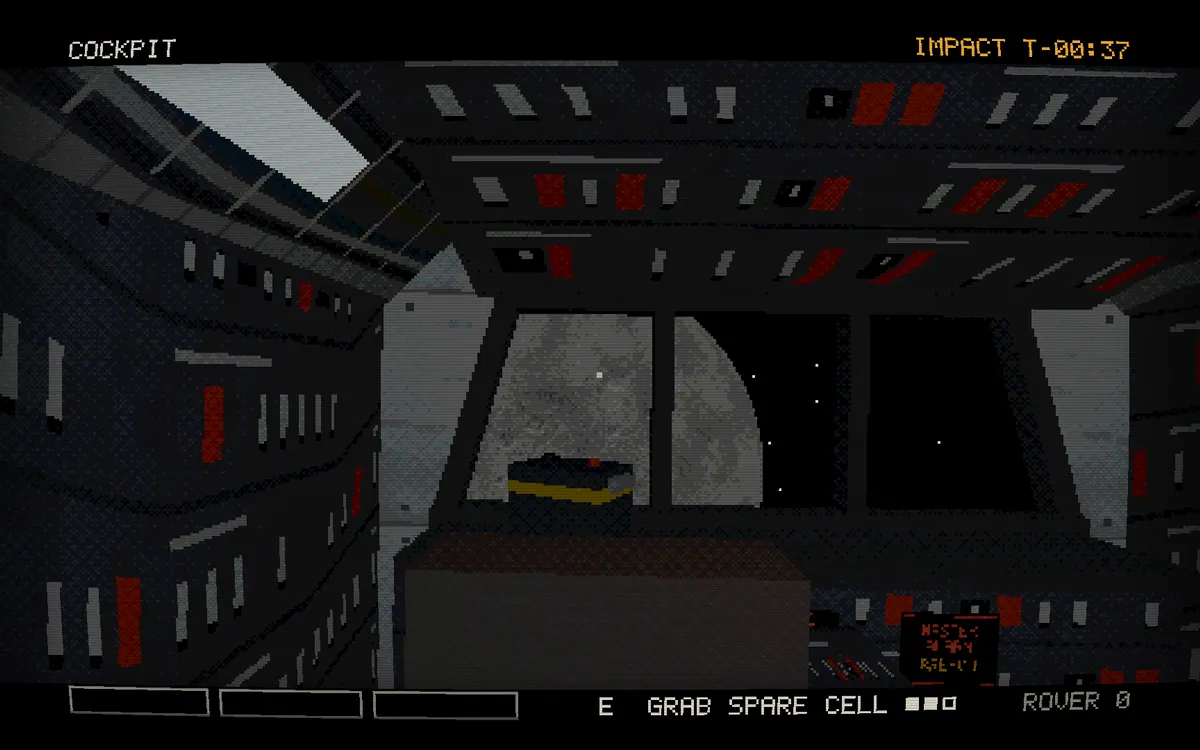
About the app
Lunar survival game with a horror edge: after something hits your freighter, you have seconds to grab supplies and one crewmate and reach the emergency rover before the ship breaks up. By day the solar rover rolls on while you ration food, patch the hull, trawl the dust and aim the dish at Earth, and at sunset each night brings a different event to meet with the right item from your kit. The free browser demo covers the first eleven nights in a low-poly first-person look, and the full game sells for $2.99 on Windows, macOS and Linux. Made with Claude and built on three.js.
- Maker
- @HoldCourtStudio
- Built with
- Claude
- Posted
- Source
- Original post on X

Added . Is this yours? Feature it · Report an issue.
Add a badge to your siteLinks back to this page and shows your live upvote count once it reaches 5.

HTML
<a href="https://www.promptshipped.com/app/man-in-the-moon-lunar-survival-game-built-with-claude" target="_blank" rel="noopener"><img src="https://www.promptshipped.com/badge/man-in-the-moon-lunar-survival-game-built-with-claude.svg" alt="Man in the Moon on PromptShipped" width="250" height="54"></a>
Markdown
[](https://www.promptshipped.com/app/man-in-the-moon-lunar-survival-game-built-with-claude)
The prompt
How was it built?
Ask for the prompt.
Built with Claude.Build your own with BoltSponsored
Not shared yet
@HoldCourtStudio hasn't shared the prompt behind Man in the Moon. If it gets added, it shows up here with a copy button.
More like this
More apps like this
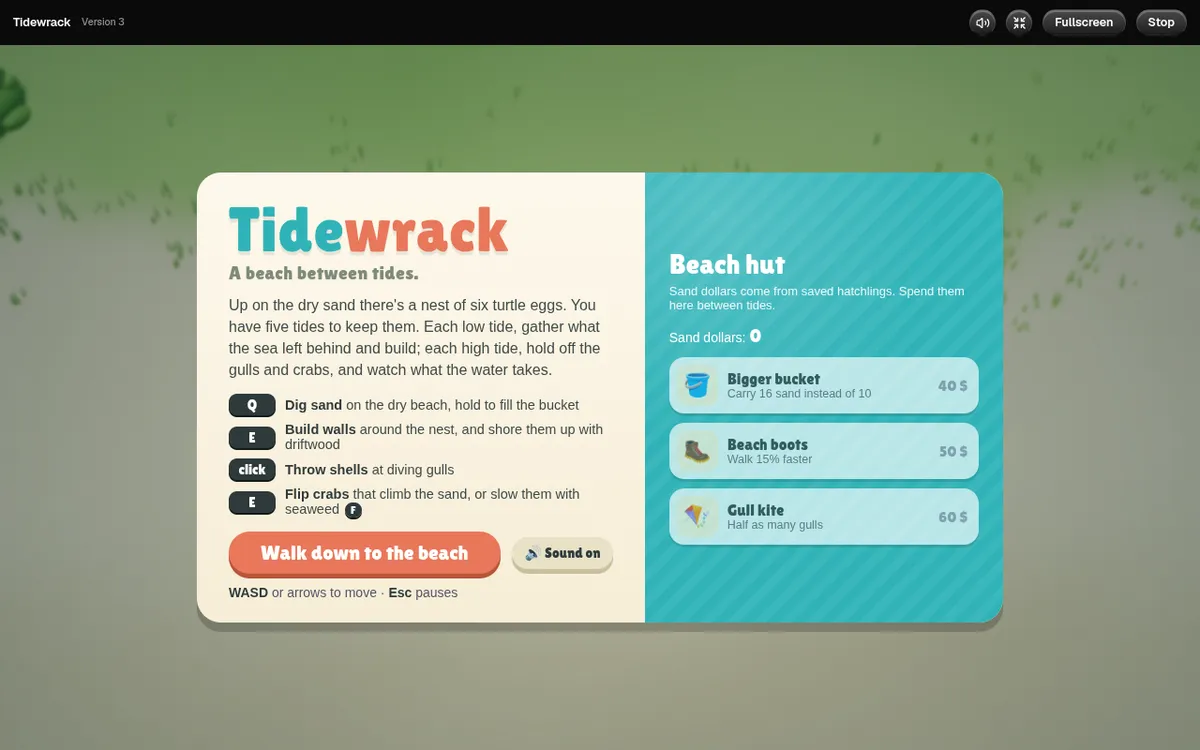
Beach defense game set between tides, where a nest of six turtle eggs on the dry sand has to last five tides. At each low tide you dig sand and gather what the sea left behind to build and shore up walls, and at each high tide you throw shells at diving gulls and flip or slow the crabs that climb the sand. Sand dollars from saved hatchlings buy upgrades in the beach hut, such as a bigger bucket, beach boots and a gull kite. Built with Claude Code on three.js and published on OpenGame, it runs in the browser with no account.
Claude@pookiebarra,- Visit
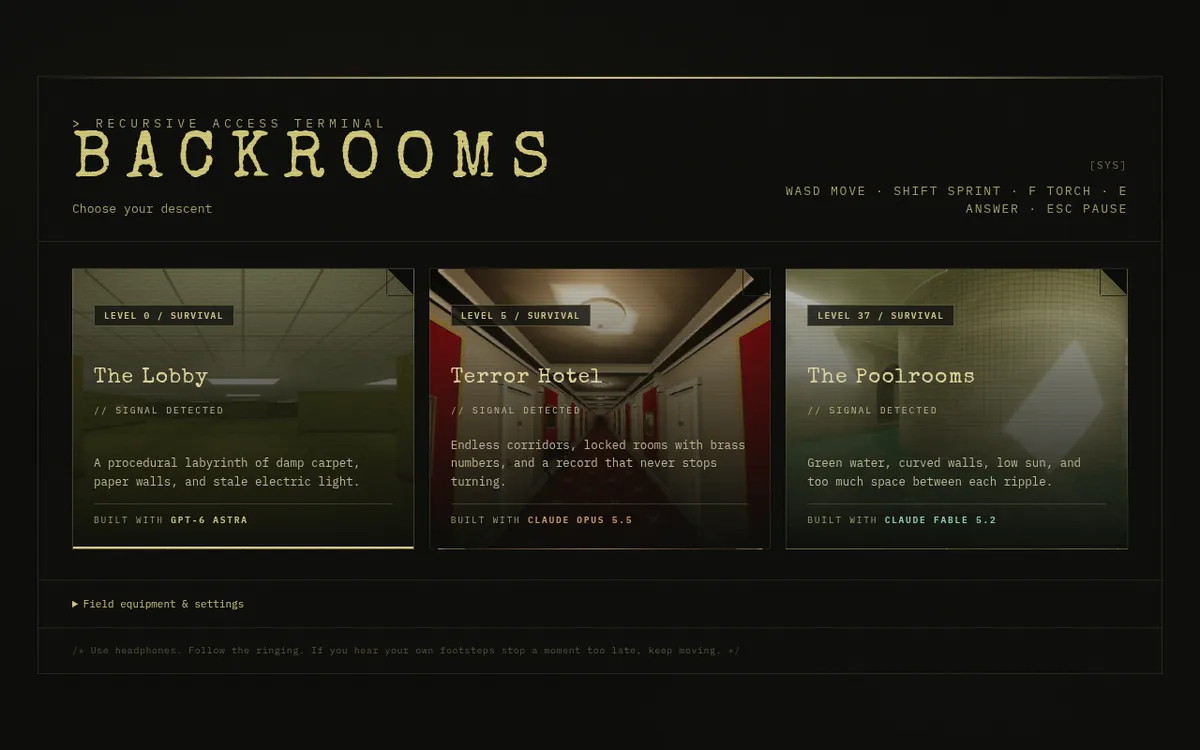
Liminal horror game in your browser
backrooms-tau.vercel.appFirst-person liminal-space horror game in three.js with three levels to choose from: The Lobby, a procedural labyrinth of damp carpet and stale electric light; Terror Hotel, with endless corridors and locked numbered rooms; and The Poolrooms, with green water, curved walls and low sun. Follow the ringing, connect three phone lines and escape before your sanity fades, moving with WASD, sprinting with Shift, lighting a torch with F and answering with E. The builder says the newest level has procedural halls on a 1 m grid, water with refraction, caustics and reflections, and tiles drawn on canvas with no texture files. Each level credits the model that built it: two Claude models and one GPT model.
Claude@_ediri, 

- Visit

Hold the room in a zombie survival browser game
last-watch-production.up.railway.appZombie wave survival game set in a lost building, where the player holds the operations room against three waves of the infected. Stand by a doorway to rebuild its boards, take a gun off the wall, then sprint, aim, reload, throw grenades or use melee with WASD and mouse controls. Vibe-coded with Claude and three.js, and the builder says it is still early.
Claude@kitsutoma1345,
Show the prompt.
Add the prompt you used; it shows on your card and app page with a copy button.
The prompt
